NDIS support work,
finally simple.
Shift scheduling, clock in/out, AI-written progress notes, and NDIS invoicing — all in one lightweight app. No training required. No per-user fees. Just $15/month.
No credit card required · Cancel anytime · Australian-made
Big software wasn't built for small providers.
Most NDIS platforms charge per user, require weeks of onboarding, and come loaded with features you'll never use. As a sole trader or a small team, you're paying for a system designed for a 200-person organisation.
The alternative — spreadsheets, Word docs, and WhatsApp — means hours of admin every week and notes that barely meet NDIS audit requirements.
There's a better way.
- 📋 Shifts in a spreadsheet
- 📝 Progress notes in Word
- 🧾 Invoices built manually
- 😰 Clock times tracked in texts
- 💸 $150+/month for basic software
- 📚 Hours of training to get started
- 📅 Shifts scheduled in seconds
- 🤖 AI drafts progress notes for you
- 🧾 Invoices generated automatically
- 📍 Clock in/out from your phone
- 💰 $15/month, up to 8 staff included
- ✅ Ready to use in minutes
Everything you need. Nothing you don't.
Kareyo covers the full operations loop of a small NDIS provider — from scheduling to invoicing.
Shift scheduling
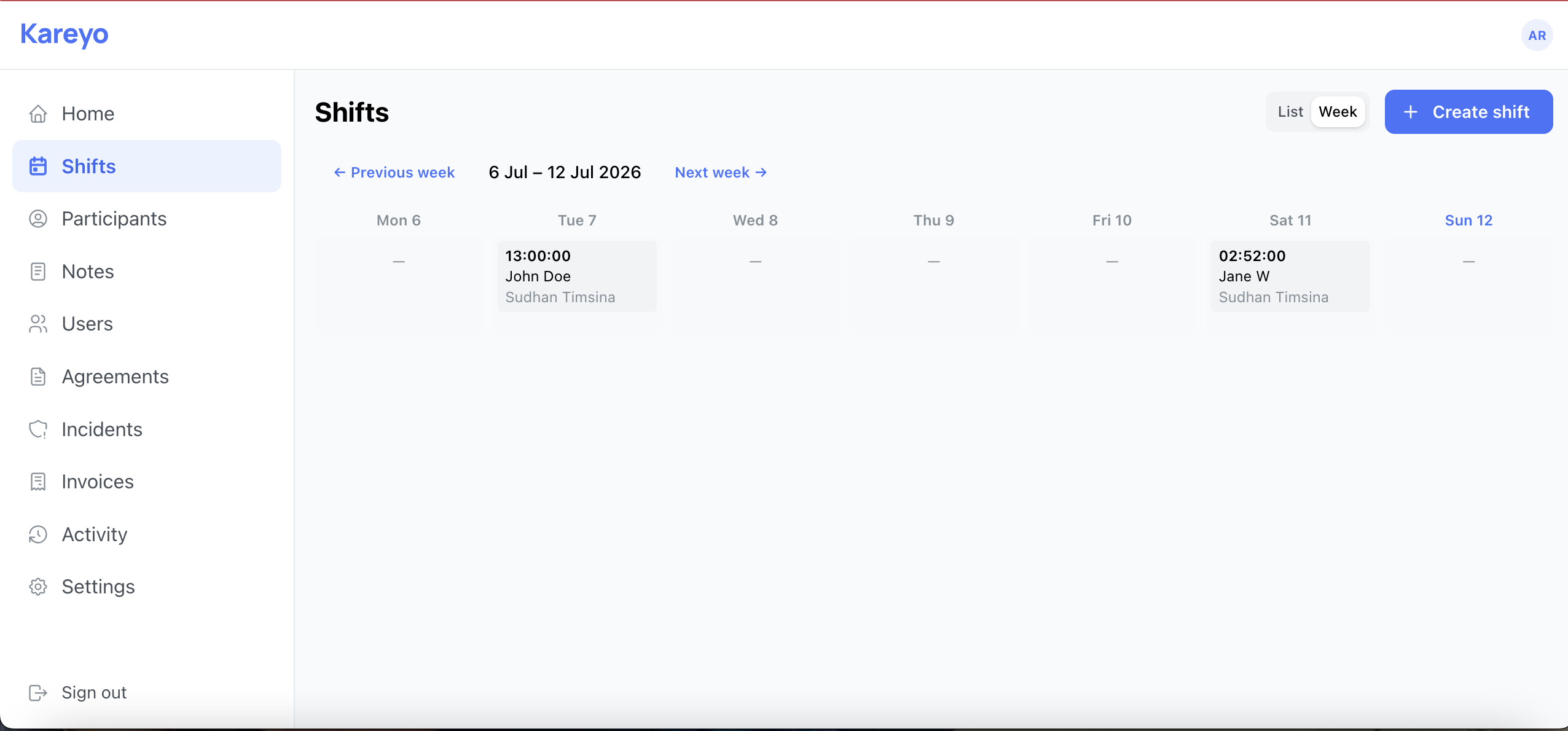
Create one-off or recurring shifts, assign workers, and set support item codes. Everything your team needs in one view.
Open shifts & claiming
Need cover? Leave a shift open and any of your staff can claim it from their phone, first in gets it. You're emailed the moment someone picks one up, and each evening if any shifts in the next 24 hours are still unfilled. One tap reminds your whole team.
Clock in & out
Workers clock in and out directly from their phone. Actual hours are captured automatically for accurate billing.
AI progress notes
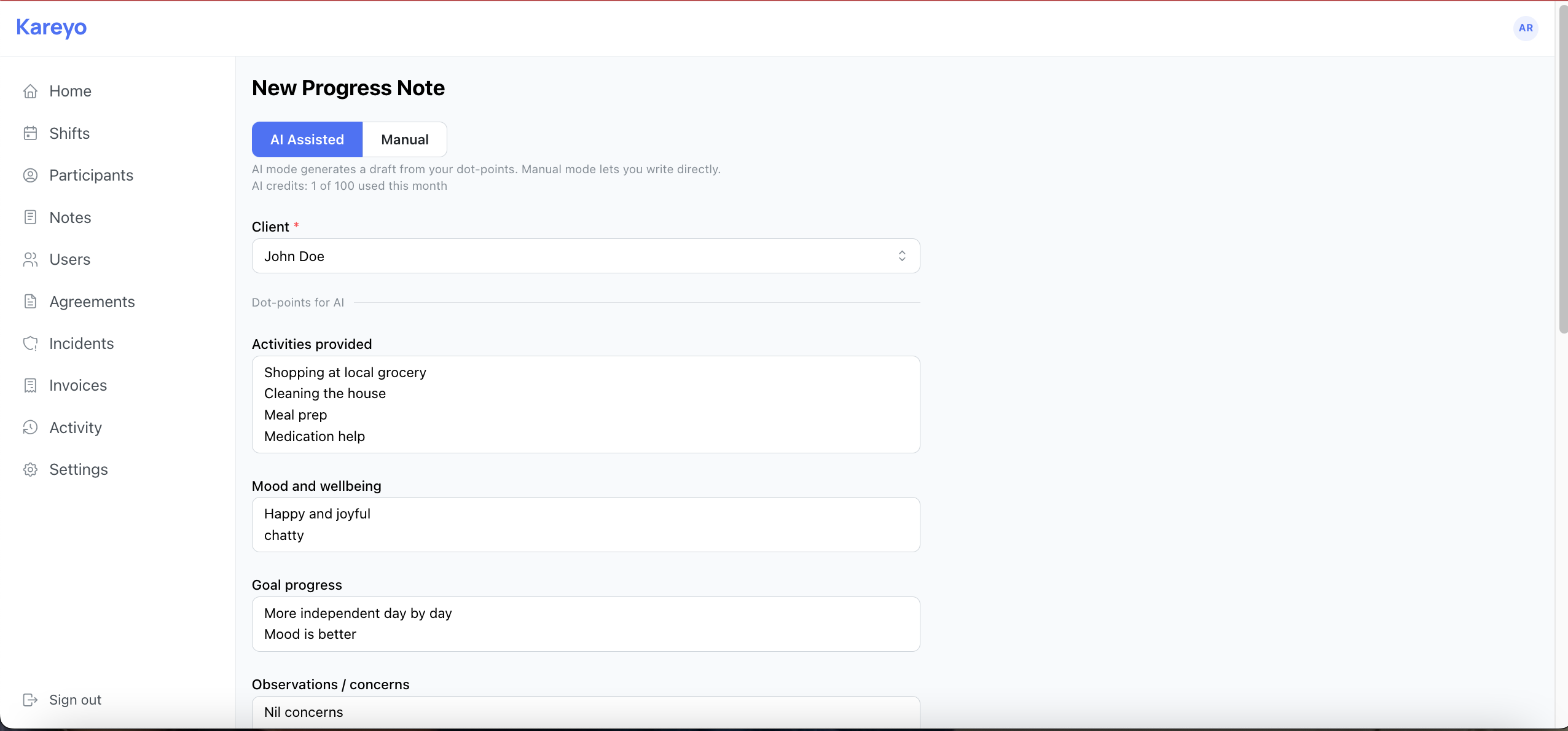
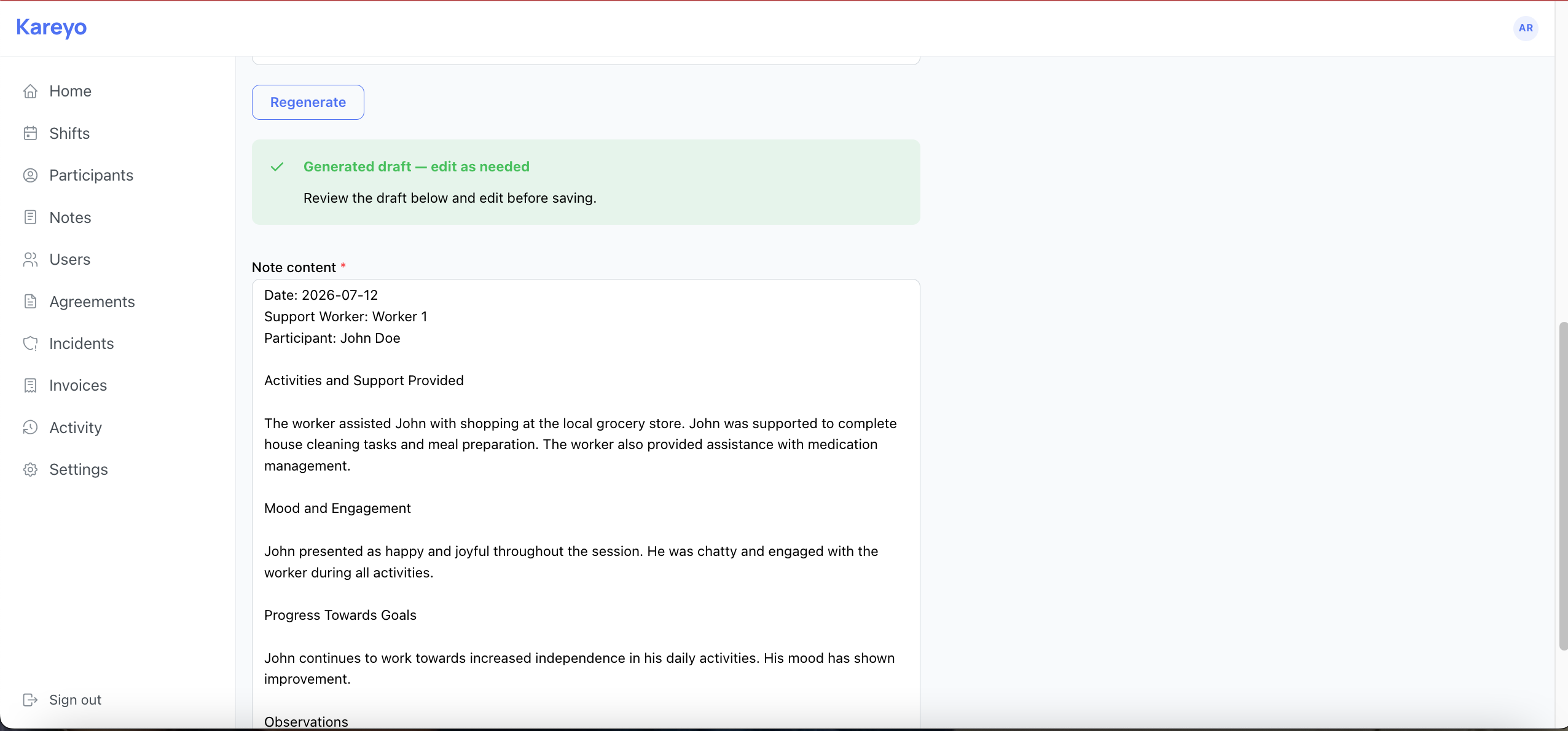
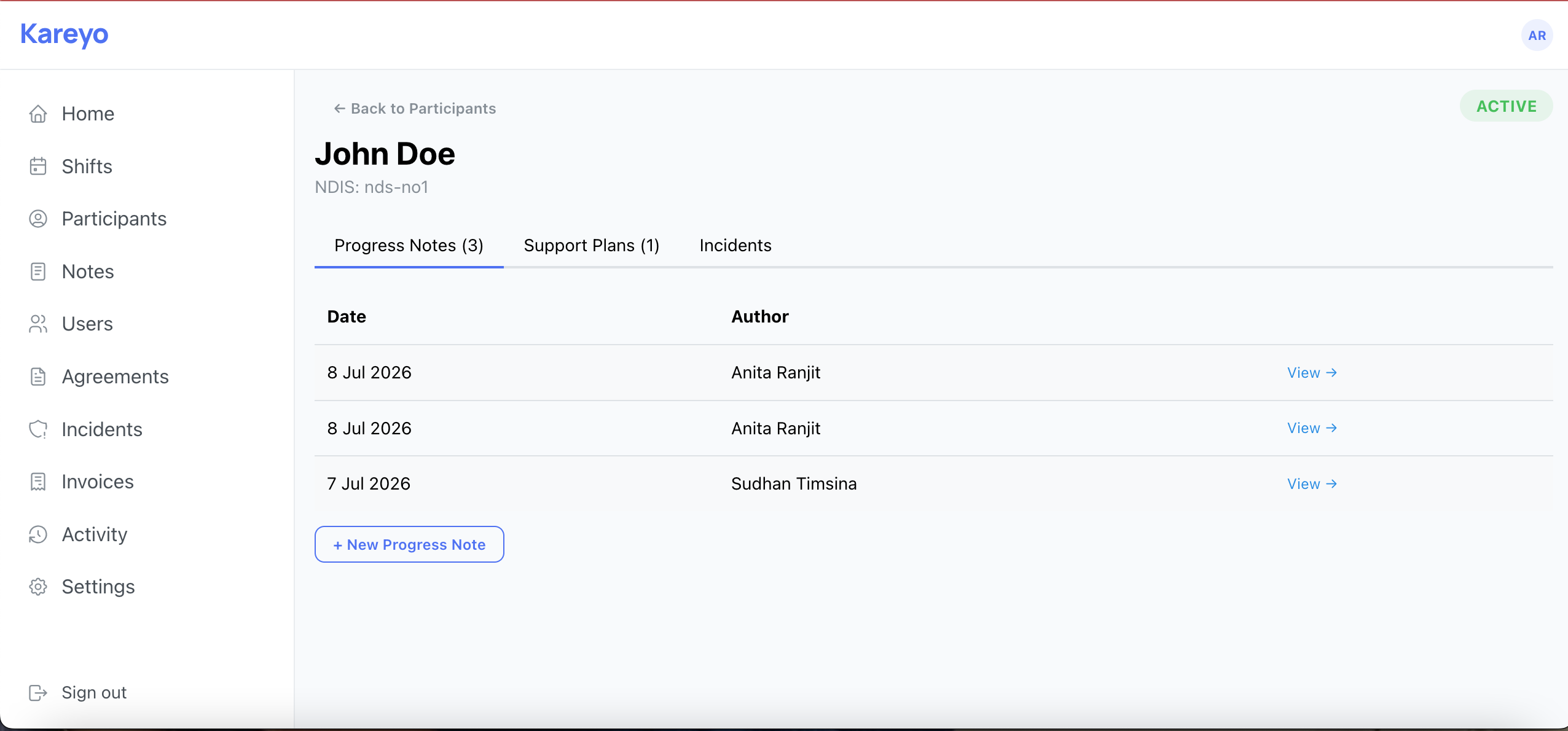
Enter a few dot points about the shift — Kareyo's AI drafts a professional, NDIS-compliant progress note for you to review and save. Attach supporting photos directly to any note.
NDIS invoicing
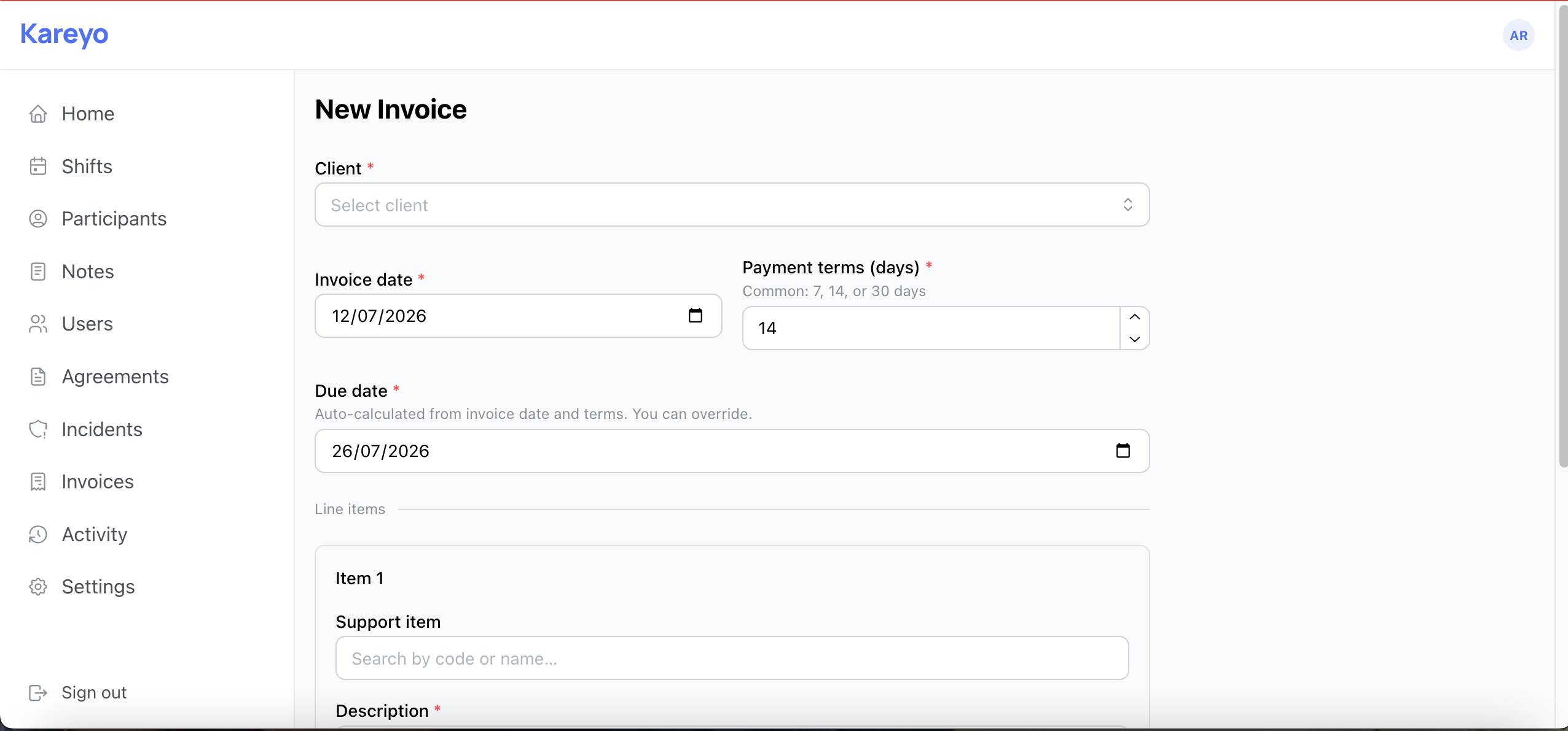
Pull completed shifts straight onto an invoice — rates, support item codes, and billable hours come across automatically, and each shift is marked invoiced so it can't be billed twice. Plan-managed participants are billed to their plan manager automatically. Email the invoice straight from Kareyo, and replies land in your own inbox, not ours.
Participant management
Keep participant profiles, NDIS numbers, and assigned workers in one place. Set each participant as self-managed, plan-managed, or NDIA-managed, and Kareyo bills the right party automatically.
Service agreement reminders
Kareyo emails you automatically 14 and 7 days before a participant's service agreement is due to end, so renewals never sneak up on you.
Staff management
Invite up to 8 support workers by email. They get their own login, see only their assigned shifts and participants, and can clock in/out independently — invoicing, billing, and business settings stay visible to admins only.
Staff compliance documents
Keep each worker's screening check, first aid certificate, licences and qualifications on their profile, with expiry dates. Kareyo emails you a week before anything runs out, and staff can upload or replace their own documents from their phone.
Incident reporting
Log incidents and near misses on the spot. Attach photo evidence, timestamped and linked to the participant — stored securely for audit purposes.
Complaints log
Log complaints from participants, family or staff the moment they're raised, with photos and the people involved. Admins get an email when staff log one and resolve each with notes, kept separate from incidents.
Activity log
Every action in the app is logged — who did what, and when. A complete audit trail if you're ever asked to demonstrate compliance.
Customisable service agreements
Edit the wording of any clause to fit your business, right on the agreement itself. Record when a participant has consented, and the agreement locks so the terms they agreed to can never quietly change.
In-app notifications
A bell in the app tells you the moment a new feature ships — no need to hunt through release notes to find out what's changed.
Training videos
Short walkthrough videos for every part of Kareyo, so new staff can get comfortable with the app in minutes, not days.
Progress notes in 60 seconds, not 20 minutes.
Writing compliant progress notes is one of the most time-consuming parts of NDIS support work. Kareyo's AI assistant changes that.
- Type a few dot points about the shift — activities, mood, goals
- AI drafts a professional, person-centred note in seconds
- Review, edit if needed, and save — linked directly to the shift
- Correct NDIS language every time — no guesswork
Add it to your home screen. Use it like an app.
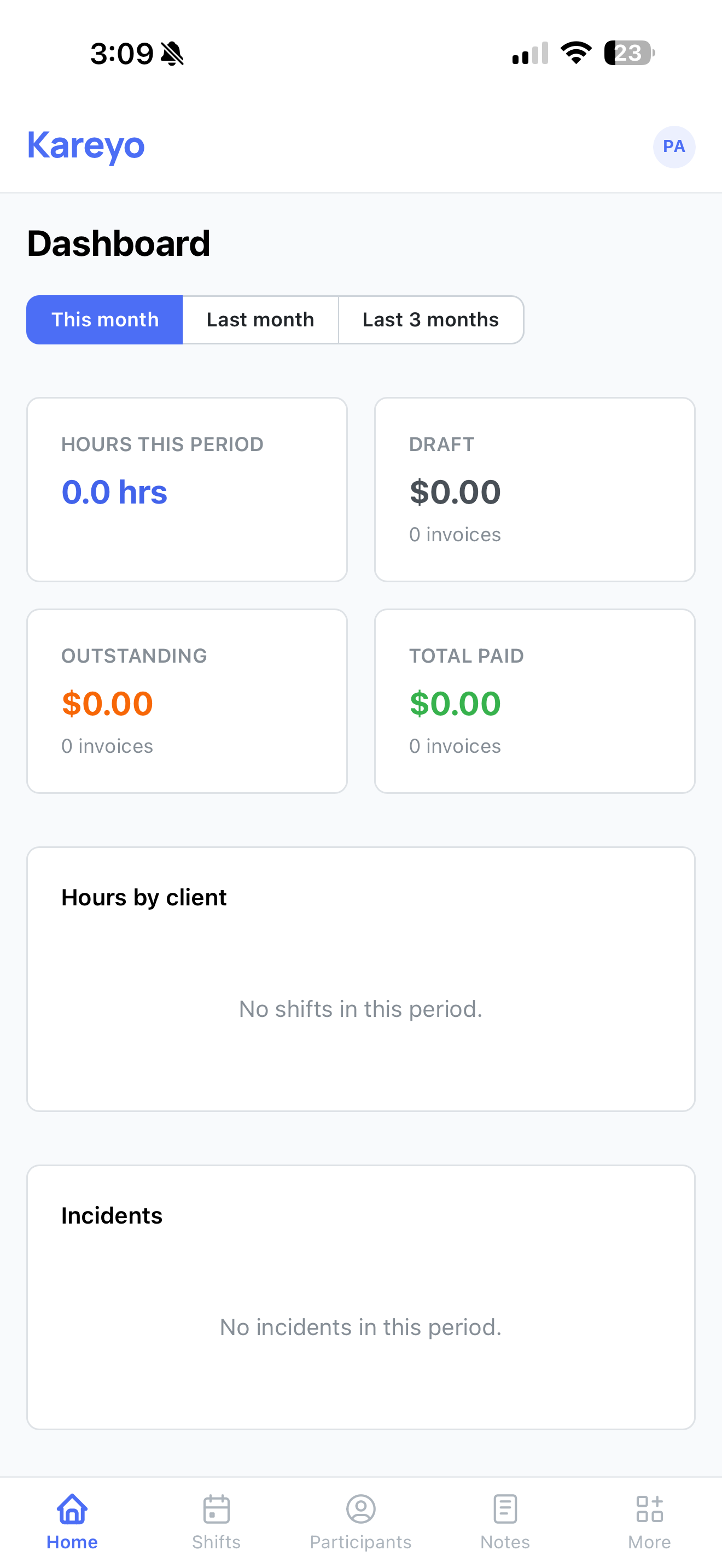
Kareyo is a Progressive Web App. Your staff can install it on their iPhone or Android directly from the browser — no App Store, no waiting for approval, no manual updates.
- Tap "Add to Home Screen" in Safari or Chrome
- Opens fullscreen, feels like a native app
- No App Store needed — always up to date
- Works on iOS and Android
Up and running in under 10 minutes.
No training days. No onboarding calls. Just sign up and go.
Sign up & set up
Create your account, add your participants, and invite your support workers. Takes about 5 minutes.
Schedule & deliver shifts
Create shifts and assign them to workers. Workers clock in and out from their phones on the day.
Notes & invoices
After each shift, write a progress note (AI does the heavy lifting). Generate the invoice in one click.
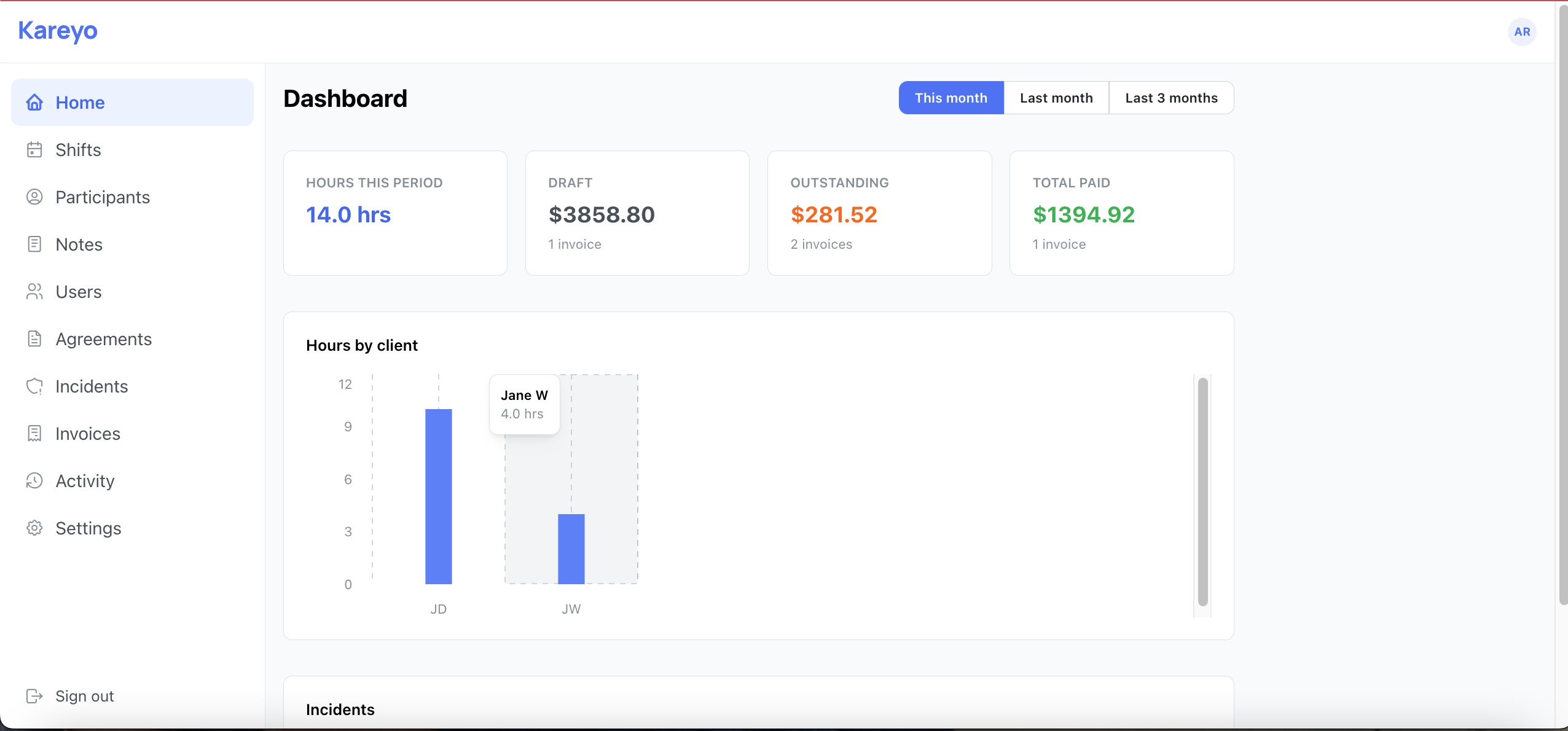
See it in action
A clean, distraction-free interface — on any device.
Watch the 90-second walkthrough
From signing up to your first invoice — the whole thing.
One plan. One price. Everything included.
No tiers. No per-user fees. No surprises on your bill.
Everything included. Cancel anytime.
Or save 2 months with annual billing — $150/year.
Start 7-day free trialNo credit card required to start your trial.
- Unlimited shifts
- Open shifts staff can claim themselves
- Unlimited participants
- Up to 8 staff accounts
- Staff compliance documents with expiry reminders
- AI progress notes (150 per month)
- Unlimited manual progress notes
- Invoice generation synced from shifts, emailed straight from Kareyo
- Self, plan & NDIA-managed billing
- Incident reporting with photo evidence
- Complaints log with resolution notes
- Photo attachments on progress notes
- Activity audit log
- Customisable service agreements & consent tracking
- In-app notifications for new features
- Free training video library
- PWA — works on iOS & Android
- Secure, encrypted data
- Priority email support, Mon–Fri AEST
Frequently asked questions
Correct. $15/month covers you and up to 8 support workers — all your participants included. No per-seat charges. If you need more than 8 staff, get in touch.
Yes — $150/year instead of $15/month, which works out to two months free. Annual billing is non-refundable, but you can cancel anytime and you'll keep access until your paid year ends.
You'll be prompted to add a payment method. If you choose not to, your account is simply locked — your data stays safe and you can reactivate anytime. Nothing is deleted.
Yes. The AI is specifically prompted to follow NDIS documentation standards — third-person, past tense, person-centred language, correct worker/participant roles. You should still review every note before saving, but the heavy lifting is done.
Absolutely. Kareyo is designed mobile-first. Workers open it in Safari or Chrome, tap "Add to Home Screen", and it works exactly like an app — no App Store download required. They can see their shifts, clock in/out, and write notes all from their phone.
Support workers see their assigned shifts, participants, and progress notes — everything they need to do their job. Invoices, billing, business settings, and other staff accounts are admin-only and never shown to them, both in the app and behind the scenes.
No. If you can use a smartphone, you can use Kareyo. Sign up, add your participants and staff, and you're ready. Most providers are fully set up within 10 minutes.
Add a participant's completed shifts to an invoice and Kareyo pre-fills the NDIS number, support item code, rate, and billable hours for you. Each shift is marked as invoiced automatically so it never gets billed twice. You can download the invoice as a PDF and submit it to the plan manager or the NDIS portal.
Set each participant's management type — self-managed, plan-managed, or NDIA-managed — once on their profile. Plan-managed participants are billed to their plan manager automatically. NDIA-managed participants get a reminder that those claims are normally submitted directly through the NDIA portal rather than invoiced.
Data is stored securely in encrypted cloud databases (MongoDB Atlas) with photos and documents in Cloudflare R2. Kareyo is built and maintained in Australia.
Yes. Cancel from your account settings at any time. You'll keep access until the end of your billing period.
Ready to cut your admin time in half?
Join NDIS providers who've replaced their spreadsheets with Kareyo. First 7 days free.
Questions? Email us at info@kareyo.com.au